
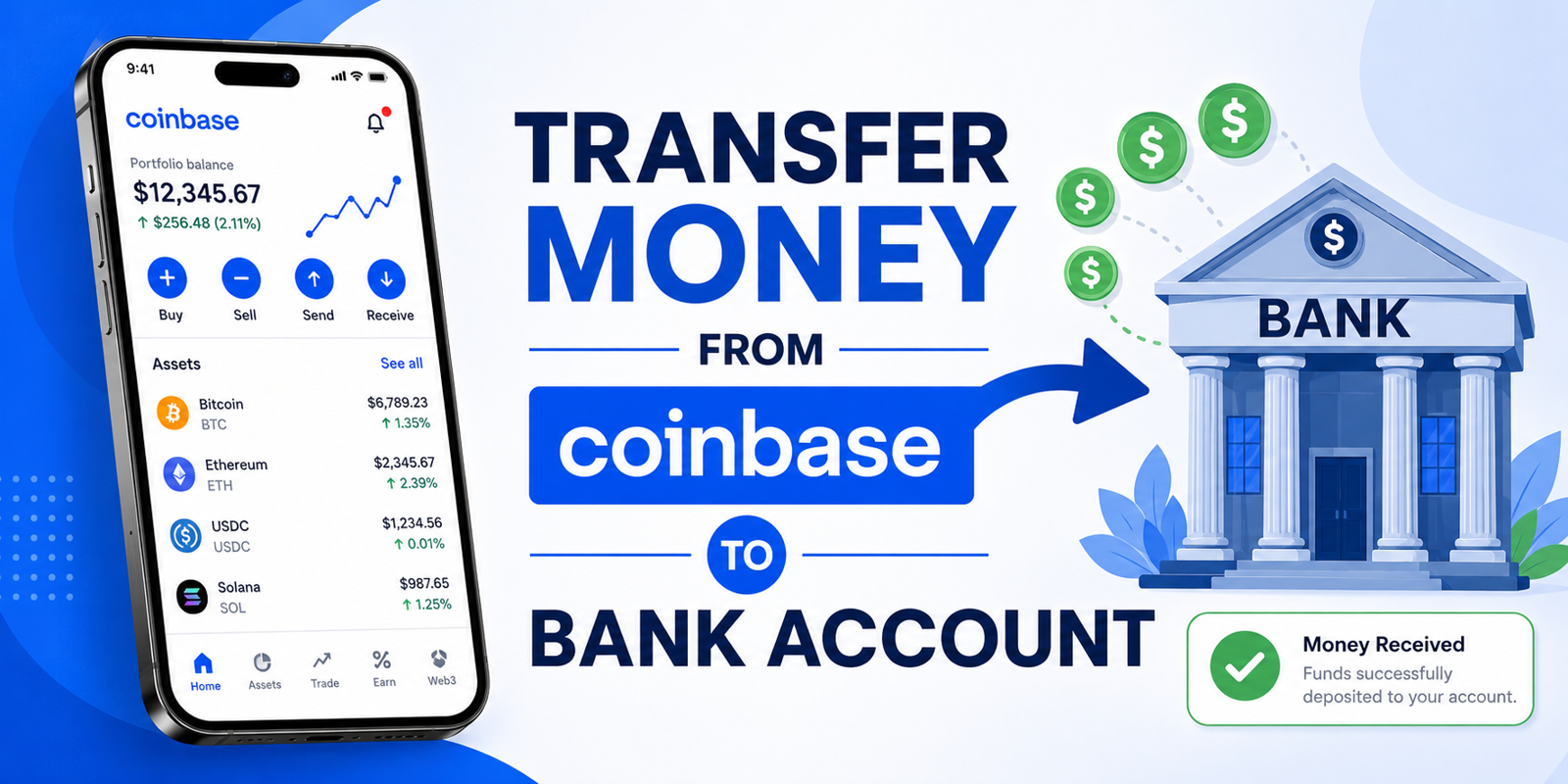
If you're searching for how to send crypto from Coinbase to bank account, there's an important detail to understand first: a bank account generally receives fiat currency, not cryptocurrency.
You can't normally send Bitcoin, Ethereum, or another cryptocurrency directly to a traditional bank account number. Instead, you typically sell your crypto for a supported cash balance on Coinbase and then withdraw that cash to an eligible bank account.
Alternatively, if your goal is to move the cryptocurrency itself to another platform, such as Robinhood, you need to make a crypto transfer to a compatible wallet address.
This distinction makes the process much easier to understand.
In this guide, we'll explain how to transfer from Coinbase to bank, how to send crypto from Coinbase, how a Coinbase crypto transfer works, whether you can send crypto to Coinbase, how Coinbase-to-Coinbase transfers work, and what to know about transferring crypto to Robinhood.
Can You Send Crypto Directly From Coinbase to a Bank Account?
In most cases, no.
A traditional bank account is designed to receive fiat currencies such as USD, EUR, GBP, or another supported local currency. Cryptocurrency such as BTC or ETH is transferred using blockchain addresses rather than ordinary bank-account details.
So, if your goal is to move your crypto proceeds into your bank account, the usual process is:
Cryptocurrency → Sell crypto → Coinbase cash balance → Bank withdrawal
Coinbase explains that customers can sell supported cryptocurrency to a cash balance and then transfer or withdraw that available cash using supported payment methods.
For example, if you own $5,000 worth of Bitcoin and want dollars in your bank account, you would generally sell the Bitcoin first. Once the proceeds are available as cash, you can initiate a withdrawal to an eligible payment method.
How To Transfer From Coinbase To Bank
If what you really want is to move the value of your cryptocurrency into your bank account, follow this general process.
Step 1: Sign in to Coinbase
Open Coinbase and sign in to your account.
Make sure you're using the correct account and that your identity and payment information are up to date.
The available cash-out methods can vary according to your location and account.
Step 2: Sell your cryptocurrency
If your funds are currently held as crypto, select the option to sell.
Choose the cryptocurrency you want to sell and enter the amount.
Coinbase's current instructions allow users to select the asset, enter the amount, review the order, and complete the sale. The proceeds can then become available in the selected cash balance.
For example:
0.05 BTC → Sell → USD cash balance
The exact value you receive will depend on the price at the time of the sale and any applicable fees or spread.
Step 3: Check your available cash balance
After selling, check that the proceeds are available for withdrawal.
This is important because a balance displayed in your account isn't necessarily the same thing as funds that are immediately available for every transaction.
Coinbase says customers can transfer or withdraw their available cash balance based on the payment methods available to them.
Step 4: Select Withdraw Cash
On Coinbase.com, Coinbase currently instructs users to select Withdraw Cash, enter the amount, choose the currency and destination, preview the transaction, review the details and fees, and then confirm the withdrawal.
The mobile experience may use slightly different labels, but the basic process is similar.
Step 5: Choose your bank account
Select an eligible bank account or other supported withdrawal method.
If you haven't added an eligible payment method, Coinbase may require you to add or verify one first.
Payment-method availability varies by country, so don't assume that a bank-transfer option available to another Coinbase customer will also be available to you.
Step 6: Review and confirm
Before submitting the withdrawal, carefully check:
Amount
Currency
Bank account
Fees
Estimated processing time
Final amount you'll receive
If everything is correct, confirm the withdrawal.
How To Send Crypto From Coinbase
If you don't want to cash out into a bank account and instead want to transfer the cryptocurrency itself, the process is different.
A Coinbase crypto transfer sends digital assets to another cryptocurrency address.
Coinbase distinguishes between on-chain and off-chain sends. On-chain sends go to an external blockchain address and are irreversible. They can also involve network fees. Off-chain sends can be made to another Coinbase user and can be processed differently.
Step 1: Choose the cryptocurrency
Open your Coinbase portfolio and select the cryptocurrency you want to send.
For example, you might select BTC if you're sending Bitcoin.
Step 2: Select Send
Choose Send and enter the amount you want to transfer.
Coinbase's current instructions allow users to enter the amount in cryptocurrency or, where supported, its local-currency equivalent. The actual transfer is made as cryptocurrency.
Step 3: Enter the recipient address
For an external wallet or exchange, enter the recipient's crypto address.
This is not your bank-account number.
It's a blockchain address associated with the cryptocurrency and network you're using.
Step 4: Select the correct network
This is one of the most important steps.
The cryptocurrency and network must be compatible with the receiving wallet or exchange.
Coinbase warns that selecting the wrong network can result in lost funds. On-chain transactions are also irreversible, meaning Coinbase generally cannot retrieve funds sent to an incorrect address or incompatible network.
Step 5: Review the transaction
Check the:
Cryptocurrency
Amount
Recipient address
Network
Applicable network fee
Final amount
Then confirm the send.
Can I Send Crypto To Coinbase?
Yes, you can send supported cryptocurrency to a Coinbase account using the appropriate deposit address.
The process is essentially the reverse of sending crypto away from Coinbase.
You first obtain the correct receiving address from Coinbase, then use the sending wallet or exchange to transfer the supported asset to that address.
However, you should always confirm that Coinbase supports the particular asset and network you're using before initiating the transfer.
Example
Suppose you have ETH in an external wallet and want to move it to Coinbase.
You would:
Open the Coinbase deposit/receive flow.
Select ETH.
Copy the Coinbase receiving address.
Open your external wallet.
Select ETH as the asset to send.
Enter the Coinbase address.
Confirm the network matches.
Review and submit the transaction.
The crypto then travels across the blockchain rather than through the traditional banking system.
Coinbase To Coinbase Transfer
A Coinbase to Coinbase transfer can be different from an external blockchain transaction.
Coinbase supports off-chain sends between Coinbase users. Coinbase says these transfers can use identifying information such as a phone number, email address, or username and can be instant and have no transaction fee. They don't appear on the blockchain because they are off-chain transfers.
This can be useful if you're sending crypto to another person who also uses Coinbase.
However, don't confuse this with sending money to a bank.
A Coinbase-to-Coinbase transfer moves cryptocurrency between Coinbase users. A bank withdrawal moves a cash balance to a financial institution.
How To Transfer Crypto From Coinbase To Robinhood
Another common question is How To Transfer Crypto From Coinbase To Robinhood.
This is possible when the cryptocurrency and network are supported by Robinhood and the relevant transfer functionality is available to your account.
The process involves sending crypto from Coinbase to your Robinhood crypto deposit address.
Step 1: Open Robinhood
Open the Robinhood app and select the cryptocurrency you want to receive.
Step 2: Select Receive
Robinhood's current instructions say to go to the crypto's detail page and select Receive, then copy the crypto address.
Make sure you're using the deposit/receive address, not a withdrawal address.
Robinhood specifically warns that using the wrong or incompatible address can result in lost funds.
Step 3: Check the supported network
This is critical.
For example, a token may exist on several blockchains, but the receiving platform may support only certain networks for that asset.
Robinhood currently lists supported coins and networks and emphasizes that the asset and selected network must match.
Step 4: Return to Coinbase
Open Coinbase and choose the same cryptocurrency.
Select Send.
Step 5: Paste the Robinhood deposit address
Paste the address you copied from Robinhood.
Then check that the network shown by Coinbase matches the network supported by Robinhood.
Step 6: Enter the amount and review
Enter the amount you want to transfer.
Before confirming, carefully compare the address and network.
For a large transaction, sending a small test amount first can be a sensible precaution when practical.
Step 7: Submit the transfer
Confirm the transaction in Coinbase.
Robinhood says crypto deposits require blockchain confirmations and may also undergo security review. Under ordinary conditions, Robinhood says this can take up to a few hours, although timing can vary.
Coinbase Crypto Transfer Fees
Crypto transfers and cash withdrawals can have different costs.
For an on-chain crypto transfer, Coinbase says network fees can apply. The amount can depend on blockchain conditions and the network being used.
Cash withdrawals can involve different fees depending on the payment method, location, and account.
This is why you should always review the transaction preview before confirming.
Don't assume that transferring $1,000 in BTC and withdrawing $1,000 in cash will have the same costs.
How Long Does a Coinbase Crypto Transfer Take?
There isn't one universal processing time for every crypto transfer.
An on-chain transfer must be processed by the relevant blockchain. Network congestion, transaction fees, confirmation requirements, and the receiving platform can all affect how quickly the funds become available.
Coinbase notes that on-chain sends take time to process.
A Coinbase-to-Coinbase off-chain send can be different because it doesn't require the same blockchain transaction process. Coinbase describes these eligible off-chain sends as instant.
Common Coinbase Crypto Transfer Problems
Wrong network
This is one of the most serious mistakes.
Always make sure the sending and receiving platforms support the same network for the asset.
Incorrect address
Blockchain addresses can be long and difficult to read.
Copy and paste the address whenever possible, then compare the beginning and end of the address before confirming.
Unsupported cryptocurrency
A receiving platform may not support every asset available on Coinbase.
Check the receiving platform's supported assets before sending.
Transfer still processing
An on-chain transaction can remain pending while the blockchain processes it.
Check the transaction status and blockchain transaction details where available.
Account restrictions
Coinbase may require additional verification or impose temporary restrictions on certain transactions.
If Coinbase specifically asks you to complete an account review, follow the instructions shown in your account.
Important Considerations for Customers in India
Crypto-transfer requirements can vary by country.
For example, Coinbase states that customers in India are subject to Travel Rule requirements for transfers between Coinbase and external wallets. Coinbase may require information about the sender or recipient, including wallet type and, for certain transfers, identifying details. Coinbase also says it supports only selected exchanges for certain transfer flows.
This means that instructions written for US or European customers may not apply to an Indian Coinbase account.
Always follow the requirements shown in your own Coinbase account.
A Practical Example
Imagine you own $3,000 of ETH on Coinbase and want the money in your bank account.
You wouldn't send the ETH to your bank.
Instead:
Step 1: Sell $3,000 of ETH on Coinbase.
Step 2: Receive the proceeds in your available cash balance.
Step 3: Select Withdraw Cash.
Step 4: Choose your eligible bank account.
Step 5: Enter the amount you want to withdraw.
Step 6: Review the fees and expected processing time.
Step 7: Confirm the withdrawal.
Now imagine you want the ETH itself in Robinhood instead.
The process changes:
Coinbase ETH → Robinhood ETH deposit address → Blockchain → Robinhood
You would not sell the ETH first.
This simple distinction prevents many transfer mistakes.
Safety Tips Before Sending Crypto
Crypto transfers require extra care because blockchain transactions can be irreversible.
Before confirming a transfer:
Verify the recipient address
Don't rely solely on a saved address. Confirm it carefully.
Verify the network
Make sure the receiving platform supports the exact network you're selecting.
Verify the asset
Sending the wrong cryptocurrency can cause problems even if the address looks correct.
Consider a test transaction
For a new destination, a small test transfer can help confirm that you've selected the correct address and network.
Protect your account
Use strong account security and two-factor authentication where available.
Never share your Coinbase password, authentication codes, or wallet recovery phrase with someone claiming to be a support representative.
Frequently Asked Questions
1. Can I send crypto directly from Coinbase to my bank account?
Generally, no. Banks receive fiat currencies rather than blockchain assets. To move the value of your crypto to a bank, you typically sell the crypto for a cash balance and then withdraw that cash using an eligible payment method.
2. How do I transfer from Coinbase to bank?
Sell your cryptocurrency for an available cash balance, select the cash withdrawal option, choose an eligible bank account, enter the amount, review the transaction details and fees, and confirm.
3. How do I send crypto from Coinbase to another wallet?
Select the cryptocurrency in Coinbase, choose Send, enter the external wallet address, select the appropriate network, review the transaction, and confirm. Coinbase warns that on-chain sends are irreversible and that the wrong network can result in lost funds.
4. Can I send crypto to Coinbase?
Yes. You can send supported cryptocurrency to the appropriate Coinbase receiving address. Always confirm the supported asset and network before making the transfer.
5. How does a Coinbase to Coinbase transfer work?
Eligible Coinbase-to-Coinbase sends can be made as off-chain transfers. Coinbase says these can be instant, have no transaction fee, and don't appear on the blockchain.
6. How To Transfer Crypto From Coinbase To Robinhood?
Open the relevant cryptocurrency in Robinhood, select Receive, copy the deposit address, and paste it into Coinbase's send flow. Confirm that Robinhood supports the exact cryptocurrency and network before submitting. Robinhood specifically warns users to match the asset and network.
7. Why hasn't my Coinbase crypto transfer arrived?
An on-chain transfer may still be processing or waiting for blockchain confirmations. Network conditions and the receiving platform's own processing requirements can affect availability. Check the transaction status and confirm that the destination address and network were correct.
Conclusion
The key to understanding Send Crypto From Coinbase To Bank Account is knowing that crypto and traditional bank transfers use different systems.
If your goal is to put money into your bank account, the usual route is:
Sell crypto → Coinbase cash balance → Withdraw to bank
If your goal is to move cryptocurrency to another platform, the process is:
Coinbase → Supported crypto address → Blockchain → Receiving platform
For a Coinbase crypto transfer, always verify the asset, recipient address, and network before confirming. This is particularly important when transferring to another exchange such as Robinhood.
If you're asking how to transfer from Coinbase to bank, check the cash withdrawal options available to your specific account rather than trying to enter bank details into a crypto-send transaction.
And if you're wondering can I send crypto to Coinbase, the answer is yes for supported assets and networks—but the receiving address must be obtained from Coinbase and matched correctly.
When moving significant amounts, take a few extra seconds to verify every detail. With cryptocurrency, that small precaution can prevent a very expensive mistake.




Write a comment ...